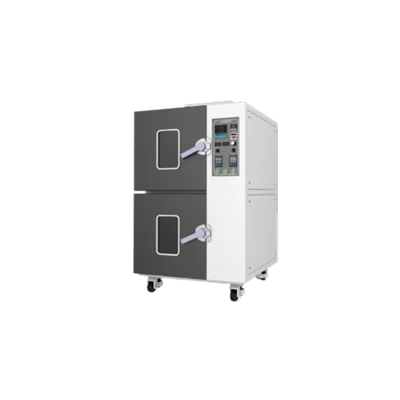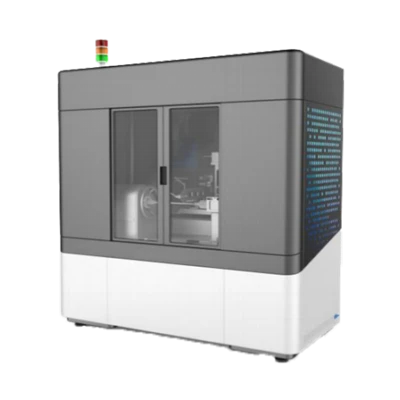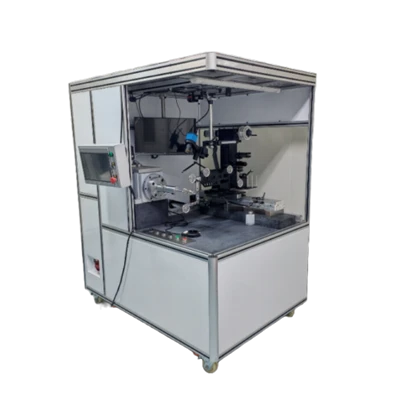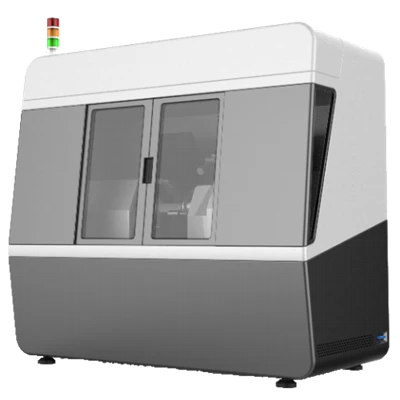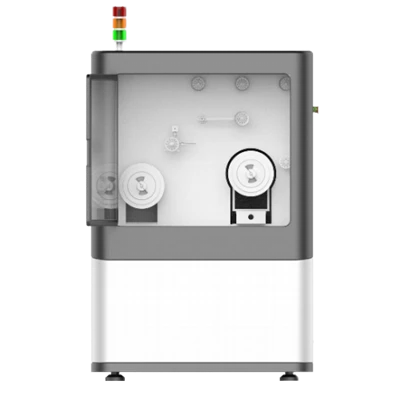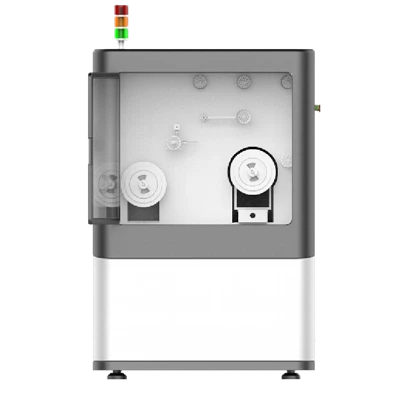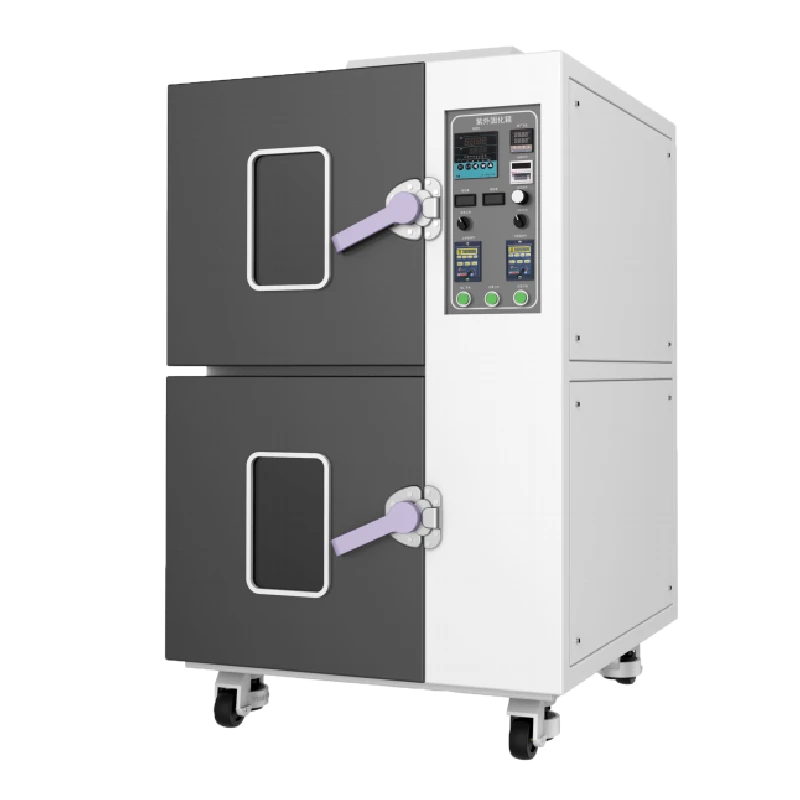
UV03 Rotary UV Curing Chamber
Adjustable curing temperature
Rotary product curing
Adjustable light distance
Description
Key Features
- Adjustable UV intensity
- Adjustable curing temperature
- Rotary product curing
- Adjustable light distance
Applications
- Fiber coil
- Other curing applications
Product Introduction
Company's UV03 UV curing chamber is primarily used to cure finished fiber coils, where UV light fixes the adhesive to the fiber and bobbin. The equipment lets operators set both the UV intensity and the curing temperature, enabling the entire curing cycle to be carried out under stable, constant conditions for consistent bond quality.
Unique Technology
Company is a high-tech enterprise with full closed-loop capabilities from fiber winding equipment and coils to FOGs, fiber/MEMS inertial products, IMU circuits, software, and test equipment. End-to-end process control improves quality and reduces costs. Operating under ISO9001 with strict processes, it ensures product reliability and consistency.
Parameters
UV03 Rotary UV Curing Chamber Specifications
|
Parameter |
Specifications |
|
Lamp Power |
2000W |
|
Lamp Voltage |
220VAC, 50Hz |
|
Lamp Overall Length |
230mm |
|
Lamp Luminous Zone Length |
180mm |
|
Lamp Housing Max. Displacement |
95mm |
|
Lower Quartz Glass Dimensions |
200*200mm, T=3mm |
|
Heater Tube Voltage |
220VAC, 50Hz |
|
Heater Tube Power |
2000W |
|
Heater Tube Material |
Finned, all 304 stainless steel |
|
Cooling/Heat Exhaust Fan Parameters |
220 VAC, 50 Hz, 85 W centrifugal fan |
|
Lamp Cooling Fan Parameters |
220 VAC, 50 Hz, 60 W centrifugal fan |
|
Lamp Housing Flexible Duct Temp. Rating |
Max. 150°C |
|
Housing Material |
Cold-rolled steel, powder-coated |
|
Inner Chamber Material |
Mirror-finish stainless steel |
|
Circulation Fan Quantity |
2 pcs |
|
Circulation Fan Parameters |
220 VAC, 50 Hz, 90 W, 1350 RPM |
|
Rotation Shaft Screw Parameters |
304 stainless steel, M10 screw, with matching 304 stainless steel M10 anti-slip nut |
|
Rotation Motor Parameters |
220 VAC, 50 Hz, 25 W, 1–14 RPM, adjustable |
|
UV Curing Chamber Max. Power |
4000W |
|
UV Curing Chamber Voltage |
220VAC, 50Hz |
|
Although the UV curing chamber lamp is rated at 2000 W, it is not recommended to operate at full 2000 W power in actual use. The lamp output power should be adjusted according to the irradiance required for curing. |
|
Introduction:
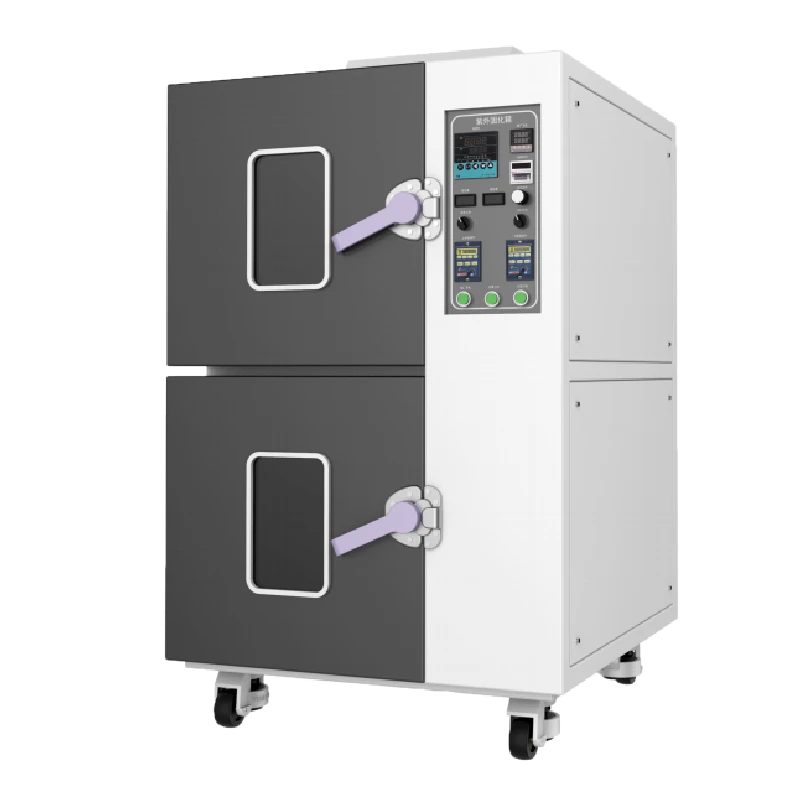
UV Curing Chamber is used for curing fiber coil UV glue and other products, the equipment mainly includes upper UV curing system, lower room temperature curing system. The upper curing system includes chamber, light system, temperature control system, rotating structure, the lower part includes chamber, rotating structure, etc., suitable for all types of fiber coil UV glue curing.
UV Curing Chamber Technical Parameters:
Lamp power: 2000W
Lamp voltage: 220VAC, 50Hz
Total length of lamp: 230mm
Lamp light-emitting area length: 180mm
Maximum movement of lampshade:95mm
Lampshade lower quartz glass size: 200 * 200mm, T = 3mm.
Heating tube voltage: 220VAC, 50Hz
Heating tube power: 2000W
Heating tube material: finned 304 stainless steels
Chamber hot air exhaust fan: 220VAC, 50Hz, 85W centrifugal fan
Lamp cooling fan: 220VAC, 50Hz, 60W centrifugal fan
Temperature resistance of lampshade soft connecting tube: Maximum 150℃.
Shell material: cold rolled plate baking paint
Liner material: mirror stainless steel
Number of circulating fans: 2
Circulating fan: 220VAC, 50Hz, 90W, 1350 rpm
Rotating shaft screw: 304 stainless steel, M10 screw, supporting 304 stainless steel M10 non-slip nuts
Rotary motor: 220VAC, 50Hz, 25W, 1-14 revolutions per minute, adjustable
Ultraviolet curing box maximum power: 4000W
UV curing box voltage: 220VAC, 50Hz
UV curing box lamp is 2000W power, but in the actual use of the process is not recommended to adjust to 2000W power, should be in accordance with the actual irradiance needed to adjust the lamp output power.
Operating Instruction:
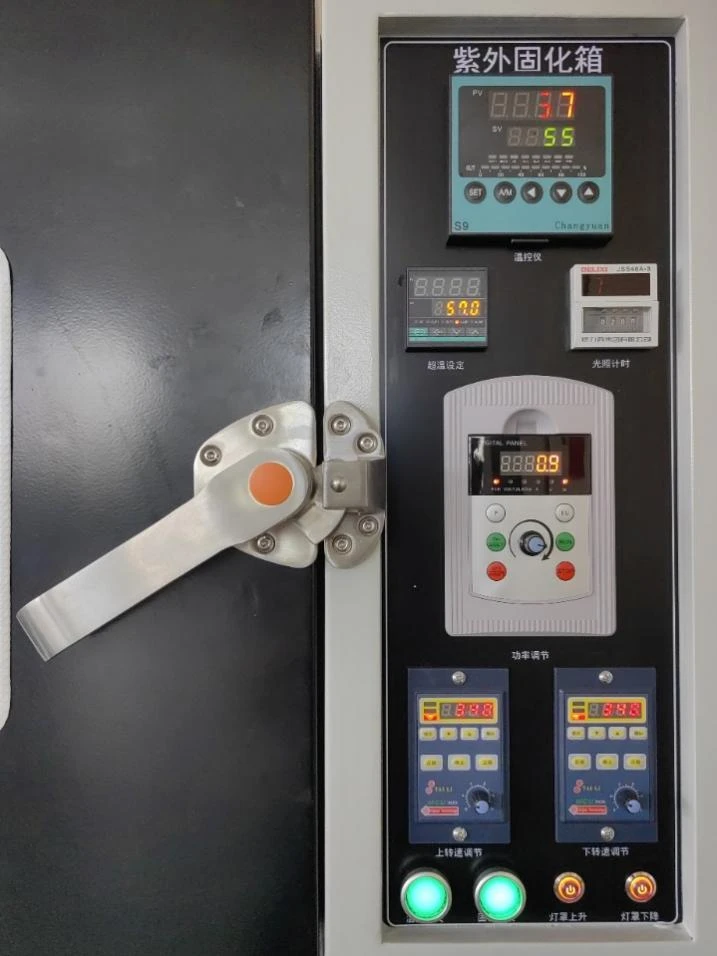
Temperature Control Device: control the temperature of the upper Chamber, can be set for a number of different temperatures and different period of time, with memory function, automatically memorizes the last set temperature program. The default over-temperature is 3 degrees, when the Set Value (SV) on the device is 3 degrees higher than the Present Value (PV), the temperature controller will automatically cut off the power supply to the heating tube, when the temperature comes down, the disconnection will connect again, into the normal heating state. Because of the curing characteristics of fiber optic glue, it is recommended that the temperature controller set the maximum temperature is not greater than 45 degrees. Before operating this temperature controller, be sure to check the user manual of the temperature controller. (during the curing process, if heating is not needed, the lower the temperature the better, then in normal operation, don't need to start the temperature controller program)
Over-temperature setting: over-temperature setting device is the secondary temperature protection device for the upper chamber, it's similar to No. 1 temperature controller. When the No. 1 temperature controller malfunctions, the No. 2 temperature controller as a secondary protection device will be started, the No. 2 temperature controller will disconnect the heating, and at the same time to start the exhaust fan on the back of the equipment, pumping away the hot air inside the chamber, and cool down the temperature inside. The over-temperature protection value is recommended to be set at 50 degrees to 55 degrees. Before operating the temperature controller, be sure to check the user manual of the temperature controller.
Light timing: light timing is the light time controller for UV curing, time controller setting method and temperature controller is not the same, it needs to set the time before the equipment is started (that is, set the light time before pressing No.11 power switch), time setting after the power on is invalid. The time controller can be set for a maximum of 999 hours, where S is for seconds, M is for minutes, H is for hours, button + is for Increase, button - is for Decrease. If you need to set 48 hours of light, it should be set to: 048H on the time controller; if you need 52 minutes of light, set it to 052M; 240 hours of light, 240H. and so on.
Power adjustment: This function is controlled by LCD shuttle keyboard, which can observe the actual current, voltage and power of UV tube. The power of the light can be adjusted by the knob. Specific functions are as follows:
P Button: After the UV tube is lit, press this button and the LCD panel will display the actual power of the UV tube.
I/U Button: After the UV tube is lit, press this button and the LCD panel will display the actual current and voltage of the UV tube.
RUN BUTTON: After pressing curing button, only press this RUN button to activate the light tube.
STOP button: After the UV light is lit, press this button to stop the light.
ON/AWAIT: Press this button to turn on the standby mode. If you need to replace the fiber coil during UV curing, then you can press this button. The light tube will be dimmed and enter the low power state after pressing this button. When the replacement of the fiber coil is finished, then press the OFF/ AWAIT button to cancel the standby. (Because UV rays are harmful to human skin, especially eyes. Therefore, long-sleeved gloves and goggles are required to operate the fiber coil halfway in standby mode), if this UV curing Chamber is only used for standard curing test of fiber coil, it is not recommended to open the Chamber halfway for operation. If you want to open the Chamber halfway, it is recommended to press the STOP button to turn off the light.
OFF/AWAIT: Press this button to turn off the standby mode.
Power adjustment knob, this adjustment knob is not recommended to be turned to the extreme right, that is, the maximum. After the UV tube is lit, the ammeter and voltmeter display stabilized value (the display of the current and voltage fluctuations of no more than 5 can be considered stable), then can twist the knob to adjust the power of the light tube. while twisting the knob, observe the power value on the LCD panel, stop twisting when it achieves the desired power. (You can also put a handheld irradiometer in the Chamber to measure the real-time irradiance, observe the irradiance on the irradiometer while twisting the knob, stop twisting when the irradiance reaches required curing irradiance)
Note: Because the light tube power adjustment is extremely sensitive, the knob must be twisted and its slow, by observing the ammeter voltmeter, or irradiometer to adjust slowly.
Upper Speed Adjustment: this device is used to adjust the speed of the rotary axis in the upper chamber. Start, stop, forward, reverse, automatic rotate after power on, all these functions of rotary axis can be set by adjusted. REV for reverse, FWD is forward, the black knob is to adjust the speed of the rotary axis, MODE for the menu, ↑ key for increase, ↓ key for decrease, ENTER is confirmation. On the LCD screen of the speed controller, the real-time speed and direction of the rotary axis are displayed. Each time in the UV curing test, press REV or FWD to start the rotary axis.
Lower Speed Adjustment: this device is to adjust the speed of the rotary axis in the lower room temperature chamber, the operation is the same as above.
Curing Switch: this switch is the power start button of the UV light tube, after the light timer is set and the fiber coil is put, close the door, this button can be pressed. After the button is pressed, the green button surface concave and shows green light. Press once more, the green panel back to flat, green light extinguished, means the disconnection of the power supply.
Temperature Control Switch: this switch is the temperature switch for the UV curing Chamber, press this button, the curing Chamber begin to heat.
Light Shade Up: this button is to rise the light shade; specific operation is as followed:
UV curing chamber connect to electricity, open the door of the chamber
Observe the light shade on the stainless-steel bar and the stainless-steel ruler on the left side
Press and hold this rise button, the light shade will rise
When the distance between the light tube and the rotating axis reaches the required distance
Loose the button.
(press and hold the button for long distance adjustment, quick tap on the button for precise adjustment)
Light Shade Down: this button is lower the light shade, operation the same as above.
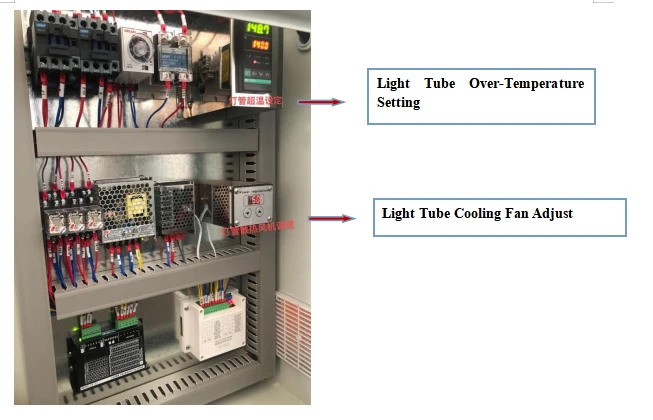
Light Tube Over-Temperature Setting: set the temperature of the light over-temperature protection, when the temperature exceeds the set value, power will be cut off as a protective role. (observing the present temperature of the light tube can also determine the working condition of the tube, if the temperature is in a small fluctuation (± 5 ℃), means that the irradiance is stable. On the contrary, adjust the cooling fan speed on the left side to reach a small fluctuation)
Light Tube Cooling Fan Adjust: adjust the wind speed of the cooling fan so that the light surface temperature to achieve a small fluctuation (light shade up or down will also have a great impact on the irradiance. If the temperature is too high to stabilize when the light shade is going down, adjust the wind speed appropriately to stabilize the tube surface temperature)
Troubleshooting:
|
ERROR |
Cause speculation |
Treatment |
|
No power |
no power from external power socket |
check that the wiring is not tripped and that the outlets are good |
|
power cord unplugged or disconnected |
re-insert or repair the power cord |
|
|
No display |
wire disconnected or broken temperature controller |
rewire and replace controller |
|
PV screen display "□ □ □ □ □" |
broken temperature sensor pt100 |
check pt100, replace (100ω at 0°c, 0.3ω/°c) |
|
temperature sensor wiring disconnected |
rewire |
|
|
incorrect measuring range |
retrieve |
|
|
Temperature not rising |
low set temperature |
setting temperature SV≥rt+10°c rt is (room temperature) |
|
output circuit wire disconnected |
rewire |
|
|
no output signal or bad thermostat or broken thyristor. |
replace |
|
|
broken heater (open circuit, short circuit) |
replace |
|
|
pt sensor instable connection |
clear contact resistance |
|
|
Abnormal sound of circulating fan |
fan blades rubbing against the duct plate |
repair |
|
lack of oil in bearings |
replace circulating fan |
|
|
Temperature out of control |
broken thyristor |
replace |
|
temperature sensor detached |
fix temperature sensor |
|
|
broken temperature controller |
replace temperature controller |
|
|
motor not working |
motor burned out. |
replace motor |
|
broken capacitor |
replace capacitor |
|
|
instable connection |
notify the manufacturer |
|
|
Curing light tube not shine |
light tube life used up |
replace of light tube |
|
light tube over-temperature |
check if cooling fan is working |
|
|
broken trigger or ballast |
replace power supply |
|
|
Over-temperature in the Chamber |
top air intake is blocked |
move the shelter |
|
bottom filter needs replacement |
remove the mesh cover and clean the filter |
|
|
exhaust fan not working |
broken time delay relay or exhaust fan, replace |
Hot Tags: uv03 rotary uv curing chamber, China uv03 rotary uv curing chamber manufacturers, factory