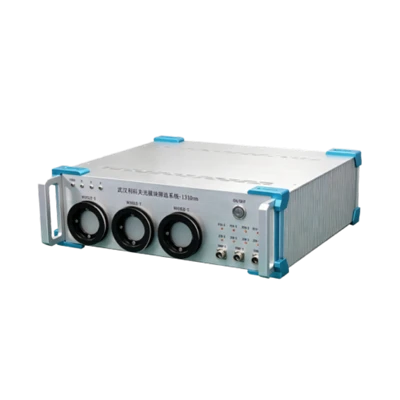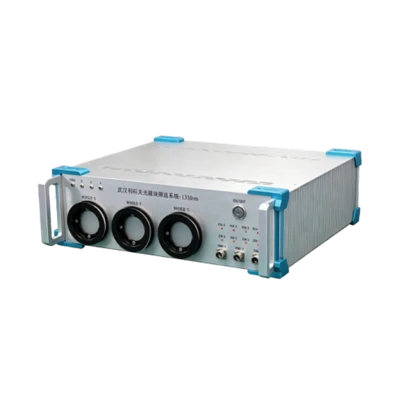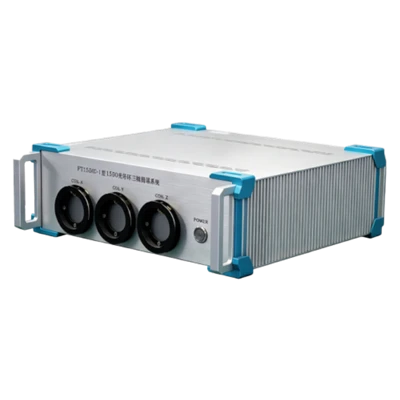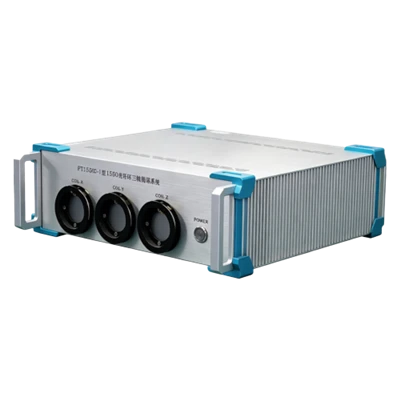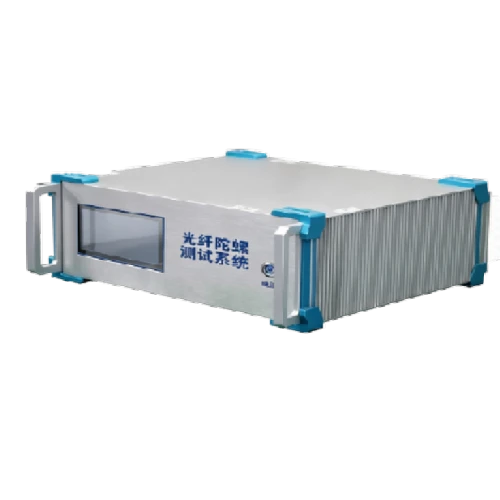
FOGTS001 FOG Test System
8 test channels
Composed of acquisition board and host software
Automatically executes test plans
Description
Key Features
- 8 test channels
- Composed of acquisition board and host software
- Automatically executes test plans
- Capable of controlling temperature chamber and turntable
- Supports multiple gyro communication protocols
Applications
- FOG performance testing
Product Introduction
Company FOGTS001 multi-channel gyro acquisition system is an integrated platform supporting simultaneous acquisition and testing of up to eight fiber optic gyroscopes. It consists of two parts: an FPGA-based acquisition board and host-computer software. The board offers eight channels for interfacing gyros of different protocols, merging the eight parallel data streams into network packets sent to the host PC, which parses, displays, and processes them channel by channel. The system software supports fully automatic high/low-temperature and static/dynamic test sequences: after a plan is configured, one-click start automatically handles temperature and turntable control, completing data acquisition, analysis, and storage entirely without manual intervention.
Unique Technology
Company is a high-tech enterprise with full closed-loop capabilities from fiber winding equipment and coils to FOGs, fiber/MEMS inertial products, IMU circuits, software, and test equipment. End-to-end process control improves quality and reduces costs. Operating under ISO9001 with strict processes, it ensures product reliability and consistency.
Parameters
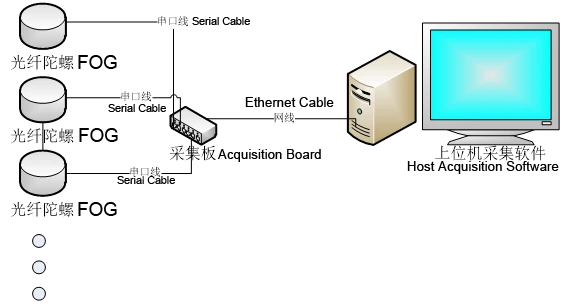
FOGTS001 Multi-Channel FOG Test System Hardware Block Diagram
System Introduction
Multi-channel FOG testing system is a set of integrated software system that can realize up to 8 channels of fiber optic gyro acquisition and testing at the same time. The whole system is divided into two parts: the acquisition board hardware and the host computer control system software. The acquisition board provides 8 channels, which can be connected to gyros of different protocols. The acquisition board is realized by FPGA, which integrates the 8-channel parallel gyro data into network data packets and sends them to the host computer. The host computer software parses the network packets and displays and processes the gyro data of each channel separately. The hardware block diagram is shown in Figure 1 below:
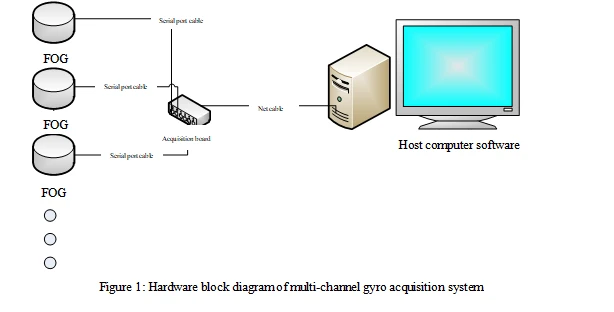
At the same time, the acquisition system software can realize the automatic process of the whole test plan including high and low temperature, static and dynamic test. After configuring the test plan, click to start, and the system automatically completes the temperature control and turntable control, and realizes the data acquisition, analysis and saving after reaching the test conditions, and the whole process does not need extra manual operating.
Preparation
2.1 Unzip the supporting package , after unzipping, open the folder in the red box of
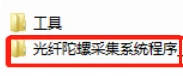 , and first install the controls required by the software according to the guide document: 64-bit version of Win7 system to register TeeChart8.
2.2 Configure the IP of the control network, and configure the network port that is ready to connect to the acquisition chassis to the following address (it needs to be configured as 192.168.5.X network segment, X can be 3~255).
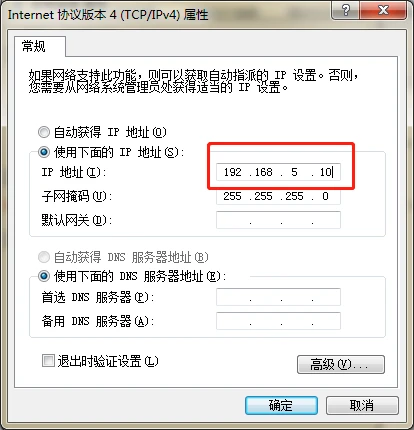
Figure 2: Network configuration
2.3 Open folder FogProtocol and open the file below in txt form. This file lists the optional fiber optic gyro protocols that can be added or subtracted from this file.
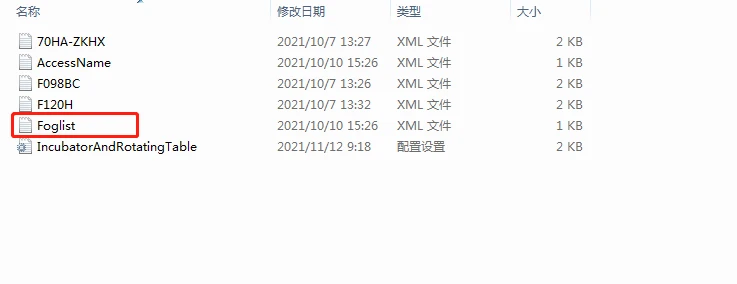
2.4 Fiber Optic Gyro Protocol Configuration. In the folder FogProtocol, you can add or subtract fiber optic gyro protocols. The user can send us their own protocols, we will modify the gyro protocol document accordingly.
Host computer acquisition software
Double-click the file: 光纤陀螺采集系统V2.71(Fiber Optic Gyro Acquisition System V2.71), the software interface is shown below:
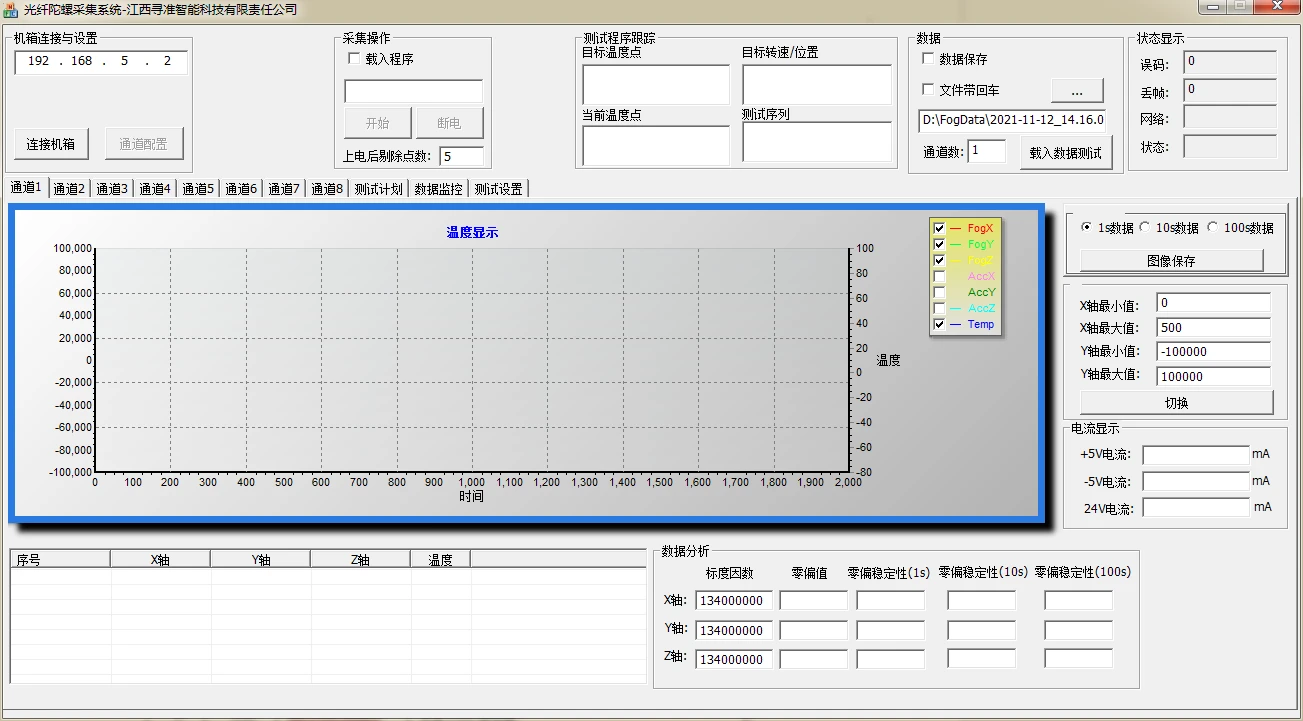
Figure 3: Host computer interface of the acquisition system
3.1 Connection and Configuration
Click to connect to the acquisition chassis, after connecting to the chassis, you can click Channel Configuration to pop up the interface to configure the gyro protocol of each channel. Check the channel which is connected to the gyro and configure the corresponding protocol (Note: the channel which is not connected to the gyro must not be checked, otherwise it will lead to the data of each channel is not synchronized), click on the configuration button, and the host computer will start to send commands to the acquisition board to configure the channel.
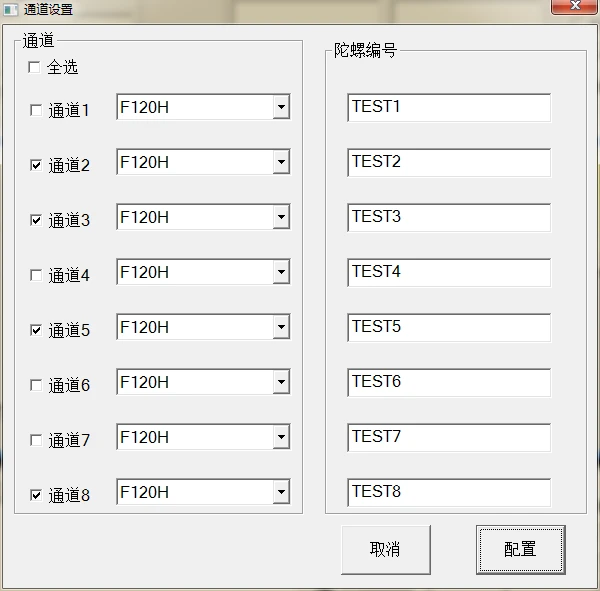
Figure 4: Channel Configuration
3.2 Start Acquisition
Click the Start button, click Confirm according to the prompt box, after confirming twice, gyro data acquisition will start.
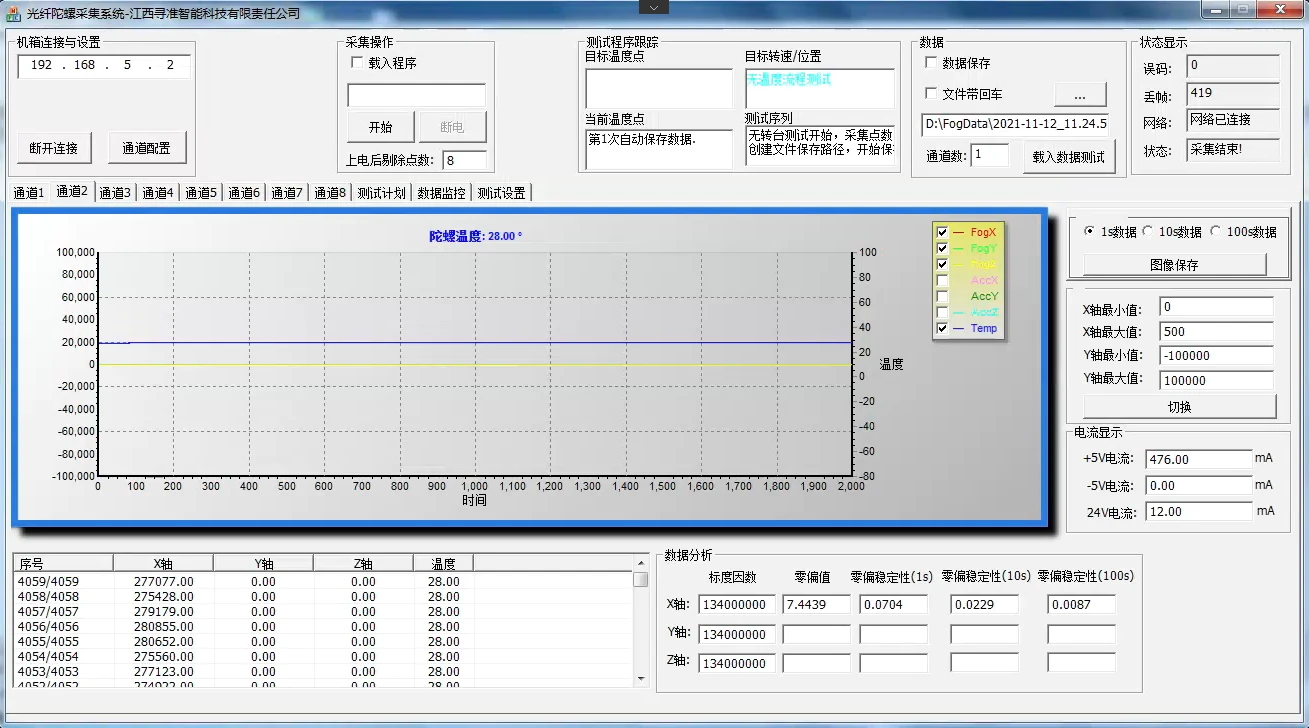
Figure 5: Gyro data being collected
3.3 Analyse acquisition data
The acquisition interface can be clicked on each channel to switch the channel data acquisition curve and data analysis results (the first time for a gyro to be connected to the system, switch to see if they are all normal to collect data, if other channels have collected the data, some channel which has already been selected doesn't acquire data, please stop the acquisition immediately, and check if it is the gyro hardware problem, or the channel configuration protocol problem). Click the curve interface, press the ctrl key while rolling the mouse wheel to zoom out or zoom in on the vertical coordinate value, thus displaying the acquisition curve appropriately into the visual area. Press the shift key while rolling the mouse wheel to zoom out or zoom in on the horizontal coordinate values to adjust the time period data for the curve display. The current coordinate display can also be switched directly by entering the value to the right of the curve display area. The right side of the curve can switch to display 1s raw data, 10s smoothed data and 100s smoothed data. The list below the curve shows 1s raw data. The data analysis panel displays real-time data analysis results.
3.4 Test Plan Configuration
The acquisition system can link the temperature box and turntable to realize the automated test of temperature cycle, static and dynamic rate sequence. Click to switch to the test plan page, you can edit the test program:
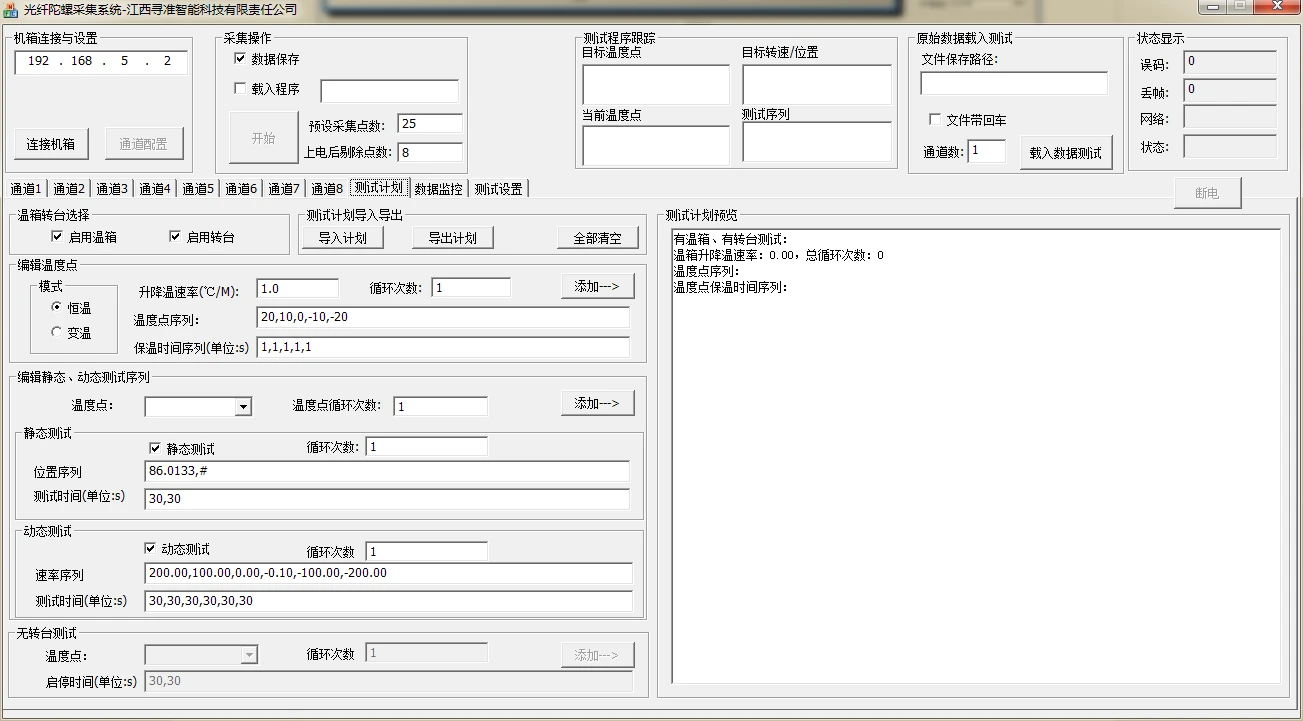
Figure 6: Test Plan Page
You can check the box to enable the temperature box or enable the turntable, as needed.
Temperature points can be edited when the temperature box is enabled. Temperature points are categorized into constant temperature tests and variable temperature tests. In the case of a constant temperature test, the temperature point sequence can be configured. Configurable parameters are: Rise and Fall Rate, which determines how fast or slow the temperature rises and falls. When editing the temperature point sequence, multiple temperature points are separated by comma (note that the comma under the English input method), and at the same time, the holding time sequence and the temperature point sequence correspond to each other, marking the holding time under each temperature point, the unit is minutes. In case of variable temperature, you can set the temperature points under variable temperature, and the time to hold temperature under each corresponding temperature point.
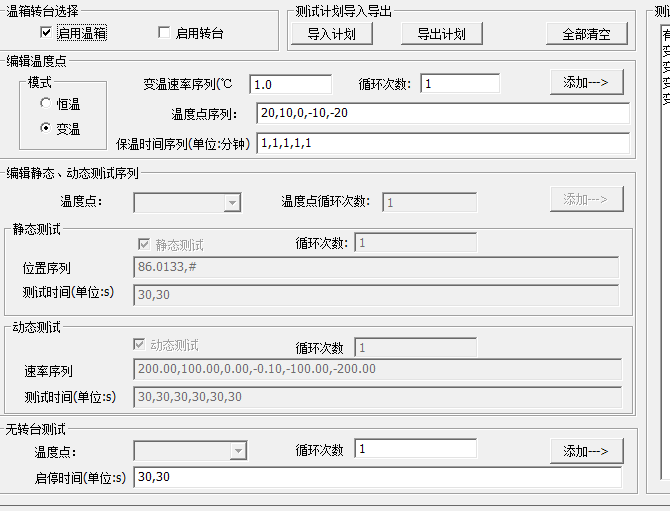
Figure 7: Enable warm box test plan edit page
Static and dynamic tests can be configured when the turntable is enabled. When the turntable and temperature are enabled, the static test and dynamic test at each temperature point can be edited. Static tests allow you to edit the position sequence, and the test time in seconds corresponding to the position sequence. Dynamic tests can edit the rate sequence, and the test time in seconds corresponding to each rate point. Temperature point, static test, dynamic test each can be set cycle times, after setting, you can follow the first temperature point, the first static position cycle test, then set the cycle times; and the rate sequence test, then set the cycle times. After the overall static dynamic test is completed, then cycle the next temperature point, and so on, until all the cycle is completed, the overall test automatically ends.
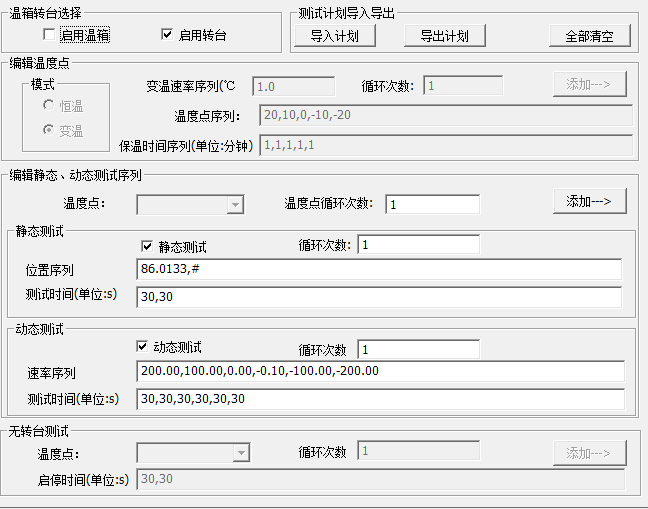
Figure 8: Enable Turntable Test Plan Edit Page
You can still do start-stop time sequence test with no temperature box and no turntable. That is, test for a period of time, and then stop for a period of time, and repeat. In this mode, you also can set one time, i.e., after testing for a fixed period of time, it will stop automatically.
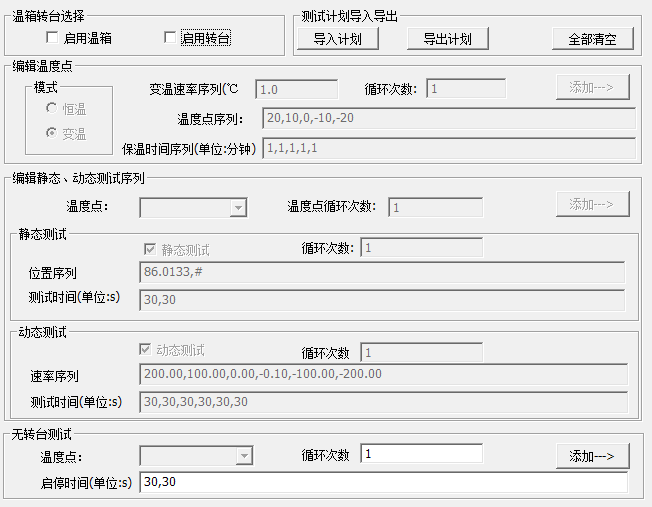
Figure 9: No temperature box, no rotary table test plan editing page
After editing the test plan, click the Add button corresponding to each section to add the set test plan. After finishing editing the test plan, click Export Plan to export the edited test plan as a document. Similarly, you can import the previously exported test plan file and edit it on the basis of the original plan.
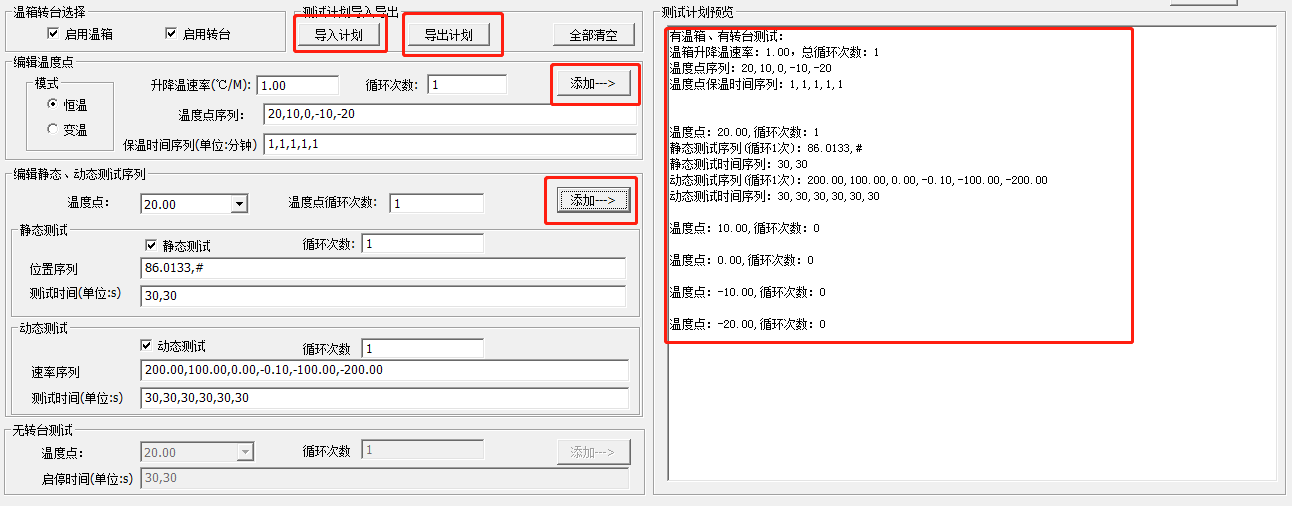
Figure 10: Test Plan Add, Export, and Import Buttons
3.5 After editing the test plan and saving the test plan file, you can click on the Load Procedure check box before you start the acquisition, a file selection dialog box will pop up, select the test plan saved earlier and click Open, then click Start, that is, automated sequence testing with the loaded test plan.
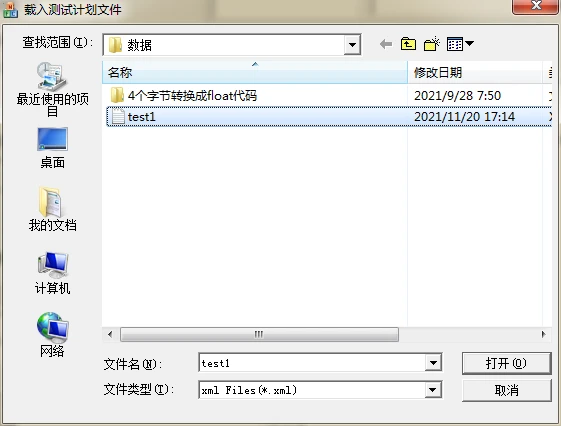
Figure 11: Loading the test plan file
Appendix I: Gyro Protocols Supported by Fiber Optic Gyro Acquisition Systems
|
No. |
Data Format |
Data Length |
Total Data Length (Without Frame Header) |
Notes |
Representative Models |
|
1 |
Header |
/ |
4 |
|
F70M-M-X |
|
Data |
4 |
||||
|
Temp |
0 |
||||
|
Checksum |
0 |
||||
|
2 |
Header |
0x80 |
5 |
Data high bit is 0, high byte first, low byte second |
F60 |
|
Data |
4 |
||||
|
Checksum |
1 |
||||
|
3 |
Header |
0x80 |
6 |
Data high bit is 0, high byte first, low byte second |
F70-203 |
|
Data |
4 |
||||
|
Temp |
1 |
||||
|
Checksum |
1 |
||||
|
4 |
Header |
Non-0x80 |
6 |
|
|
|
Temp |
1 |
||||
|
Data |
4 |
||||
|
Checksum |
1 |
||||
|
5 |
Header |
0x80 |
7 |
Data high bit is 0, high byte first, low byte second |
|
|
X-Data |
3 |
||||
|
Y Data |
3 |
||||
|
Temperature Or Checksum |
1 |
||||
|
6 |
Header |
Non-0x80 |
7 |
High byte first, low byte second |
F098BC |
|
Temp |
1 |
||||
|
Data |
4 |
||||
|
Status Bit |
1 |
||||
|
Checksum |
1 |
||||
|
7 |
Header |
0x80 |
8 |
Data high bit is 0, high byte first, low byte second |
|
|
X Data |
3 |
||||
|
Y Data |
3 |
||||
|
Temp |
1 |
||||
|
Checksum |
1 |
||||
|
8 |
Header |
0x80 |
9 |
Data high bit is 0, low byte first, high byte second |
F120H-M |
|
Data |
5 |
||||
|
Checksum |
1 |
||||
|
Temp |
2 |
||||
|
Checksum |
1 |
||||
|
9 |
Header |
Non-0x80 |
9 |
|
|
|
X Data |
2 |
||||
|
Y Data |
2 |
||||
|
Z Data |
2 |
||||
|
Temp |
2 |
||||
|
Checksum |
1 |
||||
|
10 |
Header |
0x80 |
10 |
Data high bit is 0, high byte first, low byte second |
|
|
X Data |
4 |
||||
|
Y Data |
4 |
||||
|
Temp |
1 |
||||
|
Checksum |
1 |
||||
|
11 |
Header |
Non-0x80 |
14 |
Data high bit is 0, high byte first, low byte second |
|
|
X Data |
2 |
||||
|
Y Data |
2 |
||||
|
Z Data |
2 |
||||
|
X Acceleration |
2 |
||||
|
Y Acceleration |
2 |
||||
|
Z Acceleration |
2 |
||||
|
Temp |
1 |
||||
|
Checksum |
1 |
||||
|
12 |
Header |
0x80 |
15 |
Data high bit is 0, high byte first, low byte second |
|
|
X Data |
4 |
||||
|
Y Data |
4 |
||||
|
Z Data |
4 |
||||
|
Temp |
1 |
||||
|
Calibration |
2 |
||||
|
13 |
Header |
0x55AA |
21 |
Data and temperature low byte first, high byte second |
CH3 |
|
Data Length |
1 |
||||
|
Definition Of Communication |
1 |
||||
|
X Data |
4 |
||||
|
Y Data |
4 |
||||
|
Z Data |
4 |
||||
|
X Temperature |
2 |
||||
|
Y Temperature |
2 |
||||
|
Z Temperature |
2 |
||||
|
Frame Order |
1 |
||||
|
Status |
1 |
||||
|
Checksum |
1 |
||||
|
14 |
Header |
0x80 |
17 |
low byte first, high byte second |
XB185D, XB335 |
|
X-Data |
4 |
||||
|
Y Data |
4 |
||||
|
Z-Data |
4 |
||||
|
Temp |
2 |
||||
|
Status |
1 |
||||
|
Reckoning |
1 |
||||
|
Calibration |
1 |
Appendix II: DB15 Output Connection Definition
|
DB15 Output Connection Definition |
||
|
No. |
Definition |
Remarks |
|
1 |
NC |
|
|
2 |
NC |
|
|
3 |
NC |
|
|
4 |
NC |
|
|
5 |
T+ |
RS422 Transmit+ (gyro Receive +) |
|
6 |
T- |
RS422 Transmit- (gyro Receive -) |
|
7 |
R+ |
RS422 Receive+ (gyro Transmit +) |
|
8 |
R- |
RS422 Receive - (gyro Transmit +) |
|
9 |
Trig_IN |
trigger signal |
|
10 |
GND |
GND |
|
11 |
+5V |
|
|
12 |
GND |
|
|
13 |
-5V |
|
|
14 |
24+ |
|
|
15 |
24-(GND) |
|
Hot Tags: fogts001 fog test system, China fogts001 fog test system manufacturers, factory